
Newsletters are one of the few marketing channels you fully own, yet most are skimmed for two seconds and deleted. The difference between newsletters people ignore and newsletters people look forward to is rarely design budget. It is relevance, clarity and consistency. Here are nine practical improvements, in the order that usually makes the biggest difference.
Why newsletters still work
A newsletter reaches people who have already chosen to hear from you. There is no algorithm deciding who sees it, the cost per message is tiny, and a good one keeps your business in mind until the reader is ready to buy. For service businesses it builds trust; for online stores it drives repeat orders. The catch is that inboxes are crowded, so every send has to earn its place.
1. Send to people who want it
Impact starts with the list. A smaller list of people who asked to hear from you will outperform a large list that was bought or scraped.
- Use clear sign-up forms on your website, at checkout and in your shop.
- Say what subscribers will receive and how often.
- Never buy lists; it damages your sender reputation and breaks the rules of most email platforms.
- Remove addresses that bounce or have not opened anything for many months.
2. Write subject lines that promise something specific
The subject line decides whether newsletters are opened at all. Specific beats clever.
| Weak subject line | Stronger subject line |
|---|---|
| March newsletter | Three fixes that speed up a slow website |
| Big news inside! | Our Diwali delivery dates and last order day |
| Updates from our team | How to choose the right tile for a small bathroom |
Keep the key words at the start, because phones cut long subject lines short, and use the preview text to add a second reason to open.
3. Lead with one useful idea
The most common mistake in newsletters is trying to say everything. Pick one main idea per send — a tip, a guide, an offer or a story — and give it the top of the email. Secondary items can follow as short links. Readers should understand the point within a few seconds of opening.
4. Make the next step obvious
Every newsletter should have one primary call to action: read the guide, book a call, shop the collection, reply with a question. Use a clear button, repeat it once near the end and avoid competing buttons of equal weight. If everything is emphasised, nothing is.
5. Design for phones first
Most newsletters are read on a phone. That means a single column, large readable text, buttons big enough to tap, images that load quickly and a layout that still makes sense when images are blocked. Test every send on a real phone before it goes out.
6. Sound like a person
People reply to people, not to departments. Write the way you would explain something to a customer across the counter: short sentences, plain words, a friendly tone. Signing newsletters from a named person, with a real reply address, makes readers more likely to respond.
7. Segment your list
Not every subscriber wants the same thing. Even simple segments make newsletters feel more relevant:
- New subscribers get a welcome series introducing your business.
- Customers get care tips, accessories and repeat-purchase reminders.
- Prospects get guides, comparisons and answers to common questions.
- Location or interest groups get events and offers that apply to them.
8. Keep a steady rhythm
Consistency builds habit. Choose a frequency you can maintain — weekly, fortnightly or monthly — and keep to it. A predictable, useful newsletter once a month beats four rushed ones followed by three months of silence. Plan topics a quarter ahead so you are never writing in a panic.

9. Test and measure
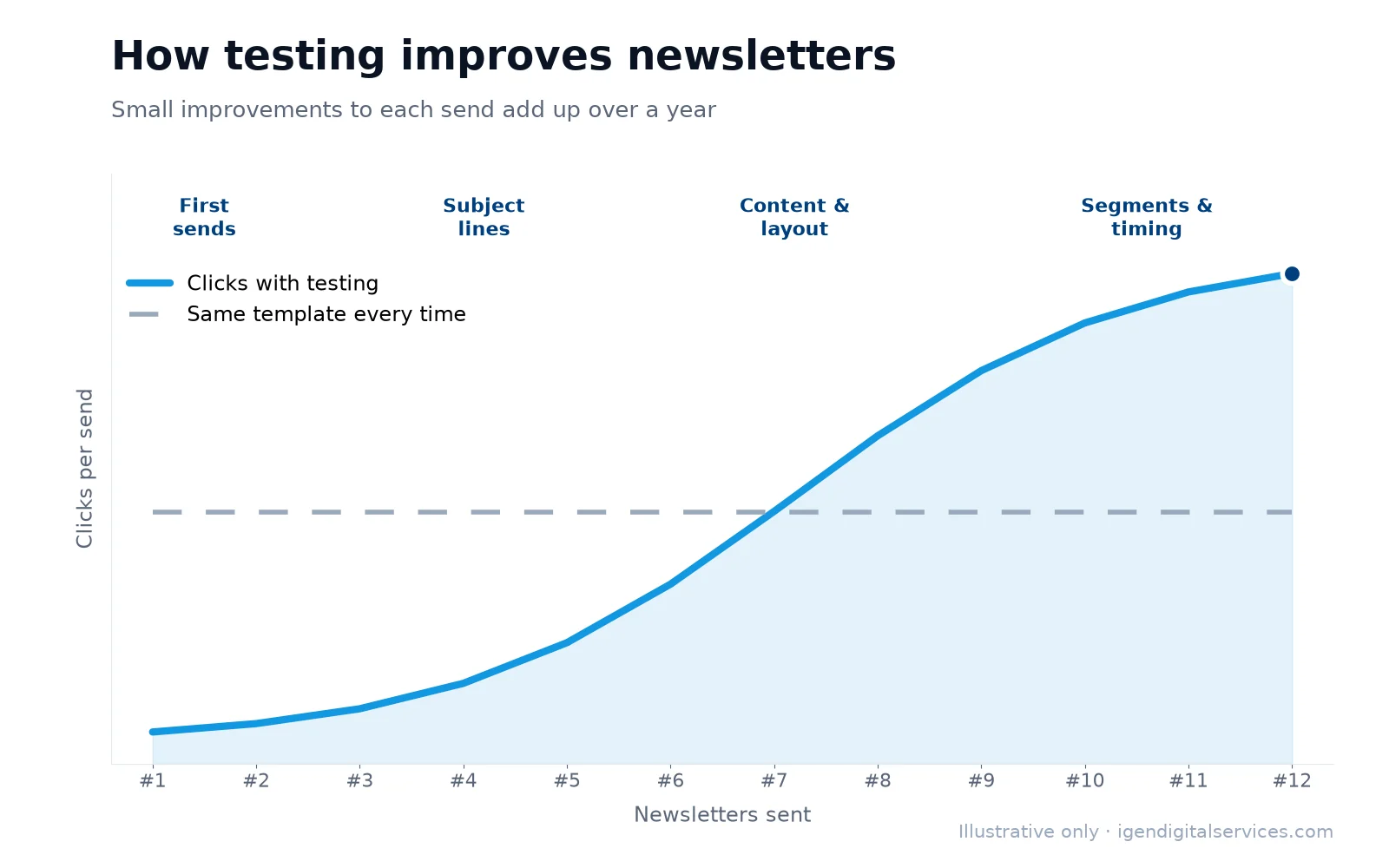
Small tests add up. Change one thing at a time and compare results:
- Subject lines — test two versions on a small part of the list.
- Send time — try mornings against evenings.
- Layout — a short note against a designed template.
- Call to action — different wording or placement.
Judge newsletters by clicks, replies and sales, not opens alone, because open tracking has become less reliable as email apps protect privacy.
Getting into the inbox
None of this matters if emails land in spam. Authenticate your sending domain with SPF, DKIM and DMARC, send from a consistent address, make unsubscribing easy and keep complaint rates low. Google publishes email sender guidelines that every business sending newsletters should follow.
A simple newsletter template
If you are starting from scratch, this structure works for most businesses:
- Subject line with one specific promise.
- One-line greeting from a named person.
- The main idea in three or four short paragraphs, or a short list.
- One button leading to the next step.
- One or two secondary links, such as a recent article or an offer.
- A sign-off inviting replies, plus your contact details and an unsubscribe link.
If you would rather hand this over, our email marketing service covers strategy, design, writing, automation and reporting.
What to write about: twelve ideas
Running out of topics is the main reason newsletters stop. Keep a running list, and start with these:
- An answer to the question customers asked most this month.
- A short how-to related to your product or service.
- A behind-the-scenes look at how something is made or done.
- A customer story, shared with permission.
- A seasonal reminder, such as servicing before summer.
- A comparison that helps people choose between two options.
- New arrivals or a newly added service.
- A mistake to avoid, and what to do instead.
- A checklist readers can save.
- An introduction to a member of your team.
- An early look at an offer before it goes public.
- A round-up of your most useful recent articles.

Automated emails that support your newsletters
Regular newsletters work best alongside a few automated emails that are sent when a subscriber does something. A welcome email sets expectations and delivers anything you promised at sign-up. A follow-up after a purchase shares care tips and asks for a review. A reminder brings back people who have not opened anything for a while. These run in the background, so your newsletters can focus on fresh, timely content.
Respecting subscribers
Trust is what makes newsletters impactful over years rather than weeks. Send only to people who opted in, say clearly who the email is from, include a working unsubscribe link in every send and honour opt-outs immediately. Treating the inbox as a privilege is good manners and good business.
Key takeaways
- Impactful newsletters start with a list of people who asked to receive them.
- Lead with one useful idea, one clear call to action and a specific subject line.
- Design for phones, write like a person and keep a steady rhythm.
- Test one thing at a time and judge results by clicks, replies and sales.
Frequently asked questions
How often should I send newsletters?
How long should a newsletter be?
What is a good open rate for newsletters?
Should newsletters be plain text or designed?
How do I get more newsletter subscribers?
Why do my newsletters go to spam?
Want expert help with this?
See what our email marketing services include, or get a free proposal for your business.

Digital Marketing Consultant and Certified Marketing Analyst from IIT Roorkee, with 10+ years of experience helping businesses improve their digital presence, generate qualified leads and drive measurable growth through SEO, AEO, GEO, Google Ads, performance marketing and analytics.