

This free SEO tools guide shows how to find the most common website problems without paying for software. You do not need expensive software to find the most common problems holding a website back. Our free SEO tools check the basics search engines look at first, preview how your pages appear on Google, and help you plan and track campaigns. This guide explains what each tool does, when to use it, how to read the results and where free SEO tools reach their limits.
Our free SEO tools at a glance
| Tool | What it does | When to use it |
|---|---|---|
| Free SEO analysis | An SEO checker that scores a page on up to 19 on-page and technical checks | Before and after changing a page, or when traffic drops |
| Page speed analysis | Finds what makes a page slow: images, scripts, caching, compression | When pages feel slow or before launching a new site |
| Google penalty analysis | A 10-question risk check for manual actions and algorithm problems | After a sudden fall in traffic or rankings |
| SERP snippet preview | Shows how your title and description may look in Google | When writing titles and meta descriptions |
| Keyword density checker | Counts how often words and phrases appear in your text | When reviewing content for natural keyword use |
| UTM link builder | Creates tracked campaign links for analytics | Before sharing links in ads, emails or social posts |
| Robots.txt generator | Builds a robots.txt file with the right rules | When launching a site or controlling crawler access |
The four utilities run inside your browser, so nothing you type into them is sent to us.

What are SEO tools and why use them?
SEO tools are programs that inspect a website the way a search engine does, measure performance or help with tasks such as writing titles and tracking campaigns. They turn invisible problems — a missing meta description, a page blocked from indexing, an oversized image — into a clear list of fixes. Used regularly, free SEO tools help small businesses catch mistakes early, before they cost rankings, traffic and enquiries.
The SEO checker: free SEO analysis
Our SEO checker scans one page at a time and reports on up to 19 checks, grouped into four areas:
- On-page SEO — title tag, meta description, main heading (H1), subheadings (H2) and image alt text.
- Content — the amount of content on the page and internal links to your other pages.
- Technical SEO — HTTPS, server response time, page size, search engine indexing, canonical tag, language declaration, mobile viewport, robots.txt and XML sitemap.
- Social and rich results — structured data (schema), social sharing tags and favicon.
The score is the share of checks your page passes, out of 100. A score of 80 or more is good, 55 to 79 needs work, and below 55 means important basics are missing. Start with your homepage, then test your most important service or product pages, because each page is checked separately.
Page speed analysis
Slow pages lose visitors and rank lower. Our page speed analysis looks at the causes you can fix: server response time, text compression and browser caching; HTML size, CSS and JavaScript files and third-party scripts; render-blocking scripts and the mobile viewport; and image dimensions, lazy-loading and modern image formats. For real-user performance data, the results also link to Google’s PageSpeed Insights, which reports Core Web Vitals such as loading speed, responsiveness and visual stability.
Google penalty analysis
When traffic falls suddenly, the first question is whether Google has penalised the website. Our Google penalty analysis asks ten quick questions — for example, whether Search Console shows a manual action, whether pages have disappeared from Google, whether links were bought, and whether the drop matched a known Google update — and estimates your risk level as you answer. It points you toward the most likely cause, so you can investigate the right thing first.
SERP snippet preview and meta tags
Your title and meta description are often the first thing people see about your business on Google. The SERP snippet preview shows roughly how they will appear, so you can check they are not cut off and that they read well. Good titles put the main topic near the start, include your brand where space allows, and give people a reason to click. Good descriptions summarise the page in one or two clear sentences with a benefit or call to action. Google may rewrite snippets, but clear, accurate ones are used more often.
Keyword density checker
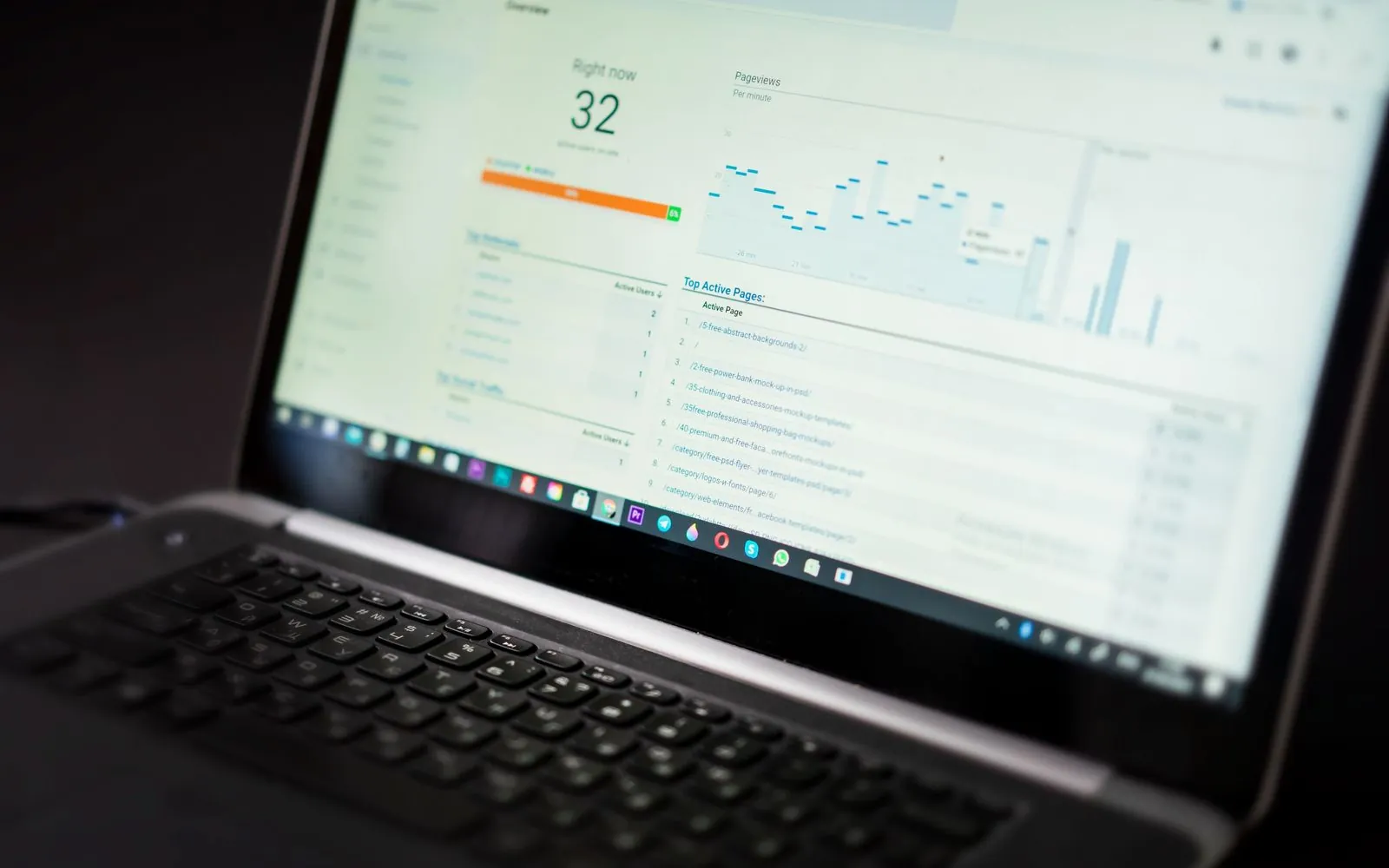
Keyword density is how often a word or phrase appears compared with the total words on a page. The keyword density checker shows which words and phrases you use most, which helps you spot two problems: a page that never mentions its main topic clearly, and a page that repeats keywords so often it reads unnaturally. There is no perfect percentage. Write for readers first, use the main phrase and its natural variations where they fit, and let the checker confirm nothing looks forced.
UTM link builder
UTM parameters are tags added to a link so analytics tools can tell where visitors came from. The UTM link builder creates tagged links in seconds using the standard parameters:
| Parameter | Purpose | Example |
|---|---|---|
| utm_source | Where the traffic comes from | facebook, newsletter, google |
| utm_medium | The type of channel | cpc, email, social |
| utm_campaign | The campaign name | diwali_sale |
| utm_term | The keyword (mainly for paid search) | seo_services |
| utm_content | Which ad or link was clicked | banner_a |
Use lowercase and consistent names across your team, and never add UTM tags to internal links on your own website, as they can split visit data.
Robots.txt generator
A robots.txt file tells search engine and AI crawlers which parts of a website they may crawl. The generator helps you build one with the right rules and your sitemap address. Remember that robots.txt controls crawling, not indexing: to keep a page out of Google, use a noindex tag instead. Be careful when blocking AI crawlers too, because blocking them can reduce your chances of appearing in AI answers and summaries.
How to act on your results
A list of problems is only useful if you fix them in the right order. Start with anything that stops Google from finding or indexing the page: a noindex tag, a blocked robots.txt rule, a missing sitemap or a broken HTTPS setup. Next, fix the elements that affect how the page appears in results — the title, meta description and main heading. Then improve content and internal links, and finally tidy up details such as alt text, social tags and favicons. Re-run the check after each round of changes to confirm the fixes worked.
Structured data explained
Structured data, also called schema markup, is code that describes your business and pages in a format search engines and AI tools understand directly. A local business can describe its name, address, phone number, opening hours and services; a product page can describe price, availability and reviews; a page of questions can be marked up as FAQs. Structured data does not guarantee rich results, but it removes guesswork and helps your business be understood correctly. Test it with Google’s Rich Results Test after adding it.
Indexing basics: canonicals, noindex and sitemaps
Three settings decide which pages search engines keep. The canonical tag tells Google which address is the main version of a page when similar versions exist, such as pages with tracking parameters. The noindex tag tells search engines not to show a page in results — useful for thank-you pages and internal search results, harmful if left on important pages by mistake. The XML sitemap lists the pages you want found, helping search engines discover new and updated content quickly. Checking all three after any major website change avoids many sudden traffic drops.
Using the tools before and after a website redesign
Redesigns are one of the most common causes of lost traffic. Before launch, record your current titles, descriptions, headings and page addresses, and test the new site’s speed and indexing settings on the staging version. After launch, confirm that old addresses redirect to the right new pages, that no important page is set to noindex, that the sitemap is updated and submitted in Search Console, and that page speed has not slipped. Running the same checks before and after makes problems easy to spot and fix within days rather than months.
Tips for ecommerce websites
Online stores have extra challenges: thousands of product pages, filters that create duplicate addresses, out-of-stock products and frequently changing prices. Check category and top product pages regularly, make sure filtered pages use canonical tags sensibly, keep product structured data accurate and compress product images carefully. Our ecommerce website development guide covers these topics in more depth.
Free Google tools every website owner should use
Alongside our free SEO tools, Google offers several essential tools at no cost:
- Google Search Console — shows the searches your site appears for, clicks, indexing problems and manual actions.
- Google Analytics — measures visitors, sources and conversions.
- Google Business Profile — manages how your business appears on Google Maps and local results.
- PageSpeed Insights — measures speed and Core Web Vitals with real-user data.
- Rich Results Test — checks whether your structured data can produce rich results.
Together with our SEO tools, these give a solid picture of your website’s health.
A simple monthly SEO routine
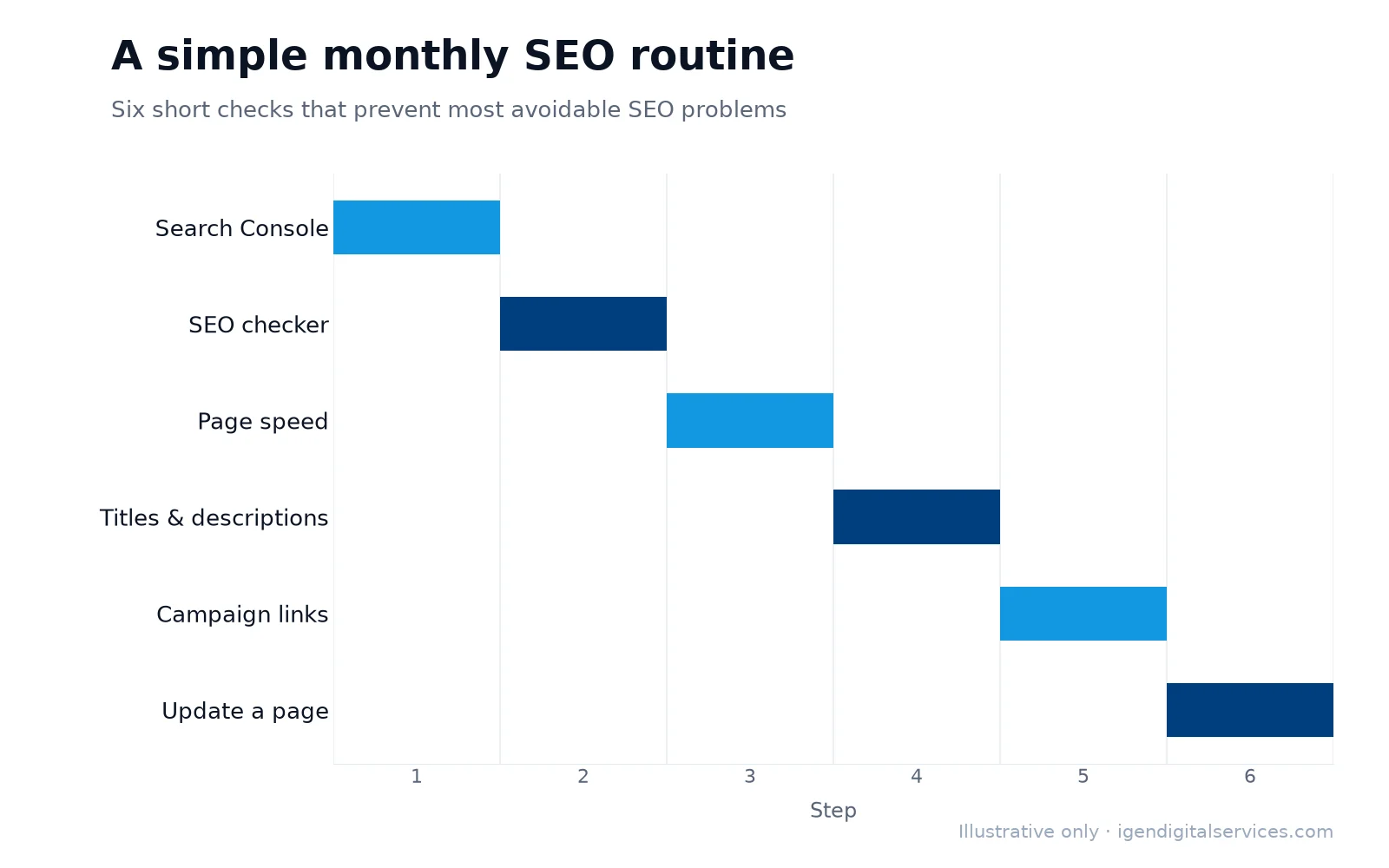
- Check Search Console for new errors, manual actions and changes in clicks and impressions.
- Run the SEO checker on your homepage and top pages, and fix anything that has slipped.
- Test page speed after adding plugins, images or new features.
- Review titles and descriptions for pages with many impressions but few clicks.
- Tag campaign links with UTM parameters before sending emails or running ads.
- Update one important page with fresher, more helpful content.
This routine takes an hour or two a month and prevents most avoidable SEO problems.
What free SEO tools cannot tell you
Free SEO tools are excellent for basics, but they have limits. They check one page at a time, not the whole website, and they cannot fully assess content quality, search intent, competitors, backlinks or the business value of each keyword. A professional audit looks at the whole site, compares it with competitors and turns findings into a prioritised plan. Our detailed SEO audit report costs ₹1,999 including taxes for websites under 200 pages, and our team also offers a free basic on-page audit.

Local SEO checks
If your customers are nearby, a few extra checks matter. Make sure your business name, address and phone number are identical on your website, Google Business Profile and major directories. Add a clear contact page with a map, opening hours and click-to-call phone number. Mark up your business details with local business structured data, and check that your Google Business Profile links to the right page. Our local SEO guide explains how to improve your visibility on Google Maps.
Checking your site for AI search
AI assistants such as ChatGPT, Perplexity and Google’s AI Overviews rely on content they can access and understand. Check that your robots.txt does not accidentally block important crawlers, that key facts about your business — services, location, contact details and prices where possible — appear as plain text rather than only inside images, and that pages answer common questions clearly. The same foundations our SEO checker tests, such as clean headings and structured data, also make your content easier for AI tools to quote accurately.
Accessibility and SEO
Many accessibility improvements also help SEO. Descriptive alt text lets screen readers describe images and helps search engines understand them. A logical heading structure helps visitors scan the page and helps crawlers understand its topics. Good colour contrast, readable font sizes and descriptive link text make pages easier for everyone to use, which keeps visitors on your website longer.
Common mistakes the SEO checker finds
- Missing or duplicate title tags and meta descriptions.
- Pages without a clear main heading, or with several H1 headings.
- Images without alt text, and very large images slowing pages down.
- Pages accidentally set to noindex after a redesign.
- No XML sitemap, or a sitemap missing from robots.txt.
- No structured data describing the business.
Most of these take minutes to fix once you know about them.
If you would like expert help, explore our free SEO tools or request a quote for your business.
Key takeaways
- Our free SEO tools include an SEO checker, page speed analysis, a penalty checker and four browser-based utilities.
- The SEO checker scores one page on up to 19 on-page and technical checks.
- Use Google Search Console alongside these tools for real search data.
- Free tools find the basics; a professional audit covers the whole website and competitors.
Free SEO tools guide: frequently asked questions
Are these SEO tools really free?
Which free SEO tool should I use first?
How accurate is the SEO checker score?
Do I still need Google Search Console?
Can you fix the problems the SEO tools find?
Do the tools work on any website platform?
How often should I check my website?
What is the best free SEO tool for small businesses?
Want expert help with this?
See what our free SEO tools include, or get a free proposal for your business.

Digital Marketing Consultant and Certified Marketing Analyst from IIT Roorkee, with 10+ years of experience helping businesses improve their digital presence, generate qualified leads and drive measurable growth through SEO, AEO, GEO, Google Ads, performance marketing and analytics.