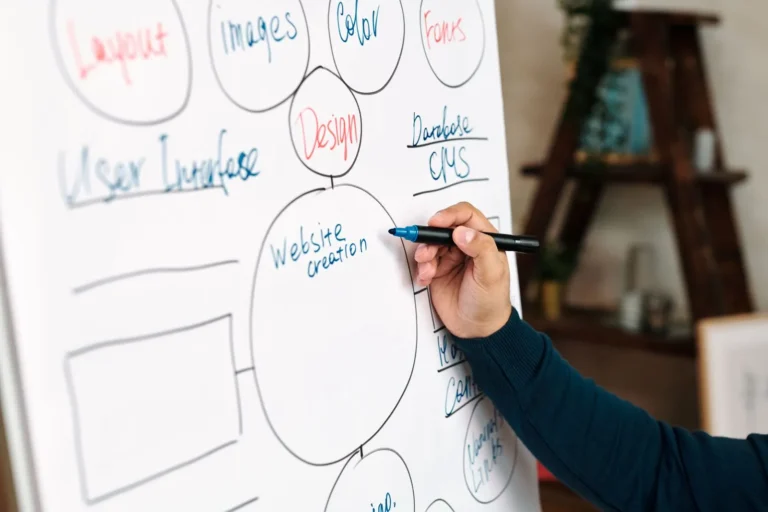

What is a dynamic website, and does your business need one? If every small change to your website means waiting for a developer, your site will fall behind — and so will your rankings. This guide explains what dynamic website design is, how it differs from a static site, which CMS options suit different businesses, the features you can add, what affects the cost in India, and how to choose a dynamic website company in Kanpur or anywhere in India.
What is a dynamic website?
A dynamic website stores its content in a database and uses a content management system (CMS) to build pages when visitors ask for them. That means your team can log in, edit text, add a blog post, upload photos, publish a job opening or change a price — without touching code. Dynamic website development also makes it possible to add features that change for each visitor, such as search, filters, member areas, booking forms and personalised content.
A static website, by contrast, is a set of fixed files. It can be fast and simple, but every change needs a developer, and it cannot easily grow into something more.
Static vs dynamic website
| Static website | Dynamic website | |
|---|---|---|
| Updating content | Developer edits the code | Your team edits in a CMS |
| Blog, news and galleries | Difficult to maintain | Built in and easy |
| Features | Basic pages and forms | Search, filters, logins, portals, booking and more |
| Growth | Harder to expand | Grows with new pages and features |
| Best for | A one-page site that rarely changes | Businesses that publish, update and grow |
For almost every growing business, dynamic website design is the better long-term choice.
CMS website design: choosing the right platform
| Platform | Best for |
|---|---|
| WordPress | Business websites, blogs, service companies and content-rich sites |
| WooCommerce or Shopify | Websites that also sell products online |
| Custom CMS (for example, Laravel) | Portals, dashboards and workflows that off-the-shelf tools cannot handle |
| Headless CMS | Large brands publishing the same content to websites and apps |
Most of our CMS website design projects use WordPress, which powers a large share of the web and is well documented on WordPress.org. It is flexible, secure when maintained properly, and easy for non-technical teams to use. We choose a custom build only when your requirements genuinely need it.
Features you can add with dynamic website development
- Blog and news — publish articles that bring search traffic and show expertise.
- Galleries and portfolios — projects, events, products and before-and-after work.
- Team and doctor profiles — easy to add, edit or remove as people join or leave.
- Careers section — job listings and online applications.
- Search and filters — for large catalogues, courses or property listings.
- Booking and enquiry forms — appointments, site visits, demo classes and quotes.
- Member or client portals — secure logins for documents, results or orders.
- Multilingual content — English and Hindi, or other languages for export markets.
- Integrations — CRM, WhatsApp, payment gateways, email tools and Google services.
Who needs a dynamic website?
Dynamic website design suits businesses that change often or want to grow online: schools and coaching institutes that publish results and notices, hospitals and clinics with doctors and departments, real estate companies with changing listings, manufacturers with large product ranges, service firms that publish case studies, and any business that wants to rank on Google through regular content.
Dynamic website design examples by industry
Schools and coaching institutes. Staff publish notices, events, results and galleries themselves; parents find fee details, admission forms and timetables in one place; toppers and faculty profiles are easy to update every year.
Hospitals and clinics. Doctor profiles with specialities and timings, department pages, health articles, appointment requests and camp announcements — all managed by the hospital’s own team.
Real estate developers. Project pages with floor plans, amenities, construction updates and enquiry forms, plus listings that can be filtered by location, budget and size.
Manufacturers and exporters. Product catalogues with specifications and downloadable brochures, industry pages, certifications and export enquiry forms, often in more than one language.
Service companies. Service and city pages, case studies, a blog and a careers section that grow as the business grows.
In each case, dynamic website development gives the team control over what changes most often, while the design stays consistent.
Moving from an old website
Many businesses come to us with an outdated site they cannot update. Moving to a dynamic website starts with an inventory of every existing page and its traffic, so nothing valuable is lost. We migrate content into the new CMS, improve it where needed, and set up permanent redirects from old URLs to new ones. After launch we monitor Google Search Console for errors, so rankings carry over to the new site.
How much does a dynamic website cost in India?
The cost of dynamic website development depends on the number of page templates, custom features (portals, booking, search), integrations, design complexity, content creation and ongoing maintenance. A WordPress business website with a blog and forms costs far less than a custom portal with logins and dashboards. We quote a fixed price after a short discovery call, with a written list of pages, features and integrations. Domain and hosting are always registered in your name.
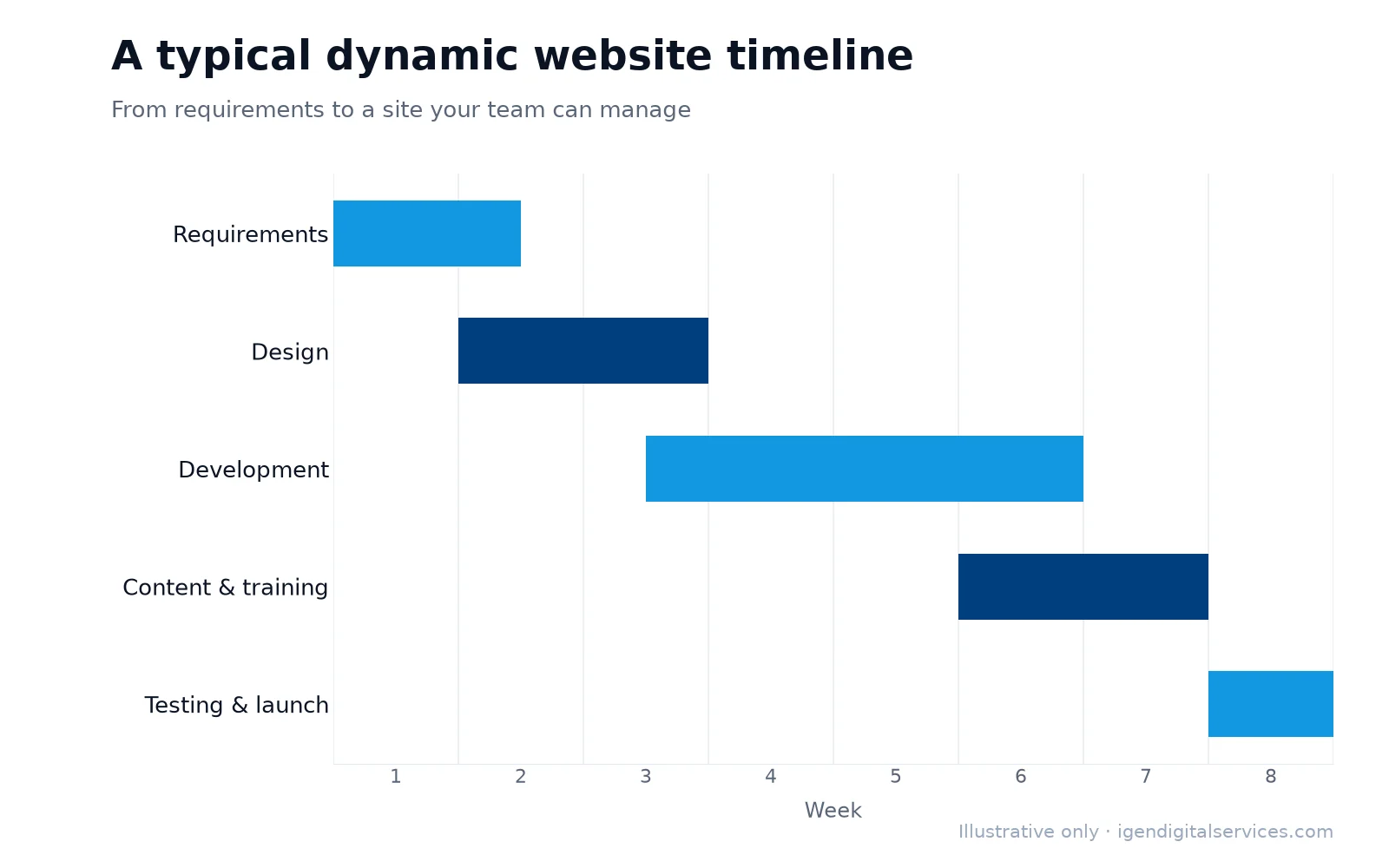
Our dynamic website design process
- Discovery — goals, audience, content types and features you need now and later.
- Content model — deciding which content your team will manage and how it is organised.
- Design — layouts for each page type, designed for mobile first.
- Development — CMS setup, custom fields, features and integrations.
- Content entry — existing and new content added and optimised.
- Testing — forms, speed, security and editing experience tested by real users.
- Launch — go-live with redirects, Search Console and analytics.
- Training — a walkthrough and simple guide so your team can update confidently.
Content planning for a dynamic website
A CMS is only as useful as the content plan behind it. Before building, we agree who will update which sections and how often — notices every week, blog posts twice a month, new projects as they complete — and design editing screens around those tasks. Structured fields make updates quick and consistent: a doctor profile, for example, has fixed boxes for name, qualification, speciality, timings and photo, so every profile looks right without design skills. We also prepare a simple publishing calendar for the first three months, because websites that are updated regularly tend to earn more search visibility and trust.
Integrations that save time
Dynamic websites become more valuable when they connect with the tools you already use. Common integrations include sending form enquiries to email, WhatsApp and a CRM; showing Google reviews on the site; taking payments or deposits online; syncing events with Google Calendar; and publishing new blog posts automatically to social media. Each integration removes a manual step for your team and reduces the chance of missed enquiries.
Speed, security and SEO
Dynamic websites need care to stay fast and secure. We use lightweight themes, only essential plugins, image optimisation and caching, so pages load quickly on mobile. Security includes SSL, strong logins with two-factor authentication, regular updates, backups and firewall protection. For SEO, every page type gets editable titles and meta descriptions, clean URLs, schema markup, an XML sitemap and a sensible internal linking structure — so new content you publish is ready to rank. Our SEO services can then grow traffic further.
Training your team
A dynamic website only helps if your team is comfortable using it. After launch we run a training session tailored to your roles — for example, a teacher adding notices, an HR person posting jobs or a marketer publishing blog posts — and share a short written guide. Editors get the permissions they need and nothing more, which keeps the site safe.
Accessibility and usability
A dynamic website should work for everyone, including people using screen readers, larger text or keyboard navigation. We use readable font sizes, strong colour contrast, descriptive image alt text, clear headings and labelled form fields. These choices make the website easier for all visitors, improve search engine understanding of your pages, and reduce enquiries lost to confusing layouts.
Measuring whether the website works
A dynamic website should be judged by what it brings in, not just how it looks. We set up Google Analytics 4 and Search Console from launch, track enquiries from every form, call and WhatsApp button, and report which pages attract visitors and which ones turn them into enquiries. That data guides what to update next — a page with plenty of visitors but few enquiries may need a clearer offer, while a popular blog topic may deserve a detailed guide.
Maintenance after launch
Every CMS needs regular care. Our maintenance plans cover core and plugin updates, security monitoring, daily backups, uptime checks, speed reviews and small content changes, with a clear response time for urgent issues. Regular maintenance keeps a dynamic website secure and fast for years instead of months.
Common mistakes with dynamic websites
- Installing dozens of plugins, which slows the site and creates security gaps.
- Giving every user full administrator access.
- Skipping backups until something goes wrong.
- Never updating content after launch, which defeats the purpose of a CMS.
- Ignoring mobile layout when adding new content blocks.
Choosing a dynamic website company in Kanpur
Look for a dynamic website company in Kanpur that asks how your team will use the website day to day, shows sites you can test and edit in a demo, keeps domain, hosting and admin access in your name, builds with speed, security and SEO in mind, and offers clear support after launch. We build dynamic websites for businesses in Kanpur and across India, and meet local clients in person at our Lajpat Nagar office when that helps.
If you would like expert help, explore our dynamic website design or request a quote for your business.
Key takeaways
- Dynamic website design lets your team update content in minutes without a developer.
- WordPress suits most businesses; custom builds suit portals and unusual workflows.
- Features such as blogs, galleries, careers, booking and portals can grow with you.
- Speed, security, SEO and training decide whether a dynamic website succeeds.
Frequently asked questions
What is the difference between static and dynamic websites?
Is WordPress a dynamic website?
How much does a dynamic website cost in India?
Can I convert my static website into a dynamic website?
Are dynamic websites slower than static websites?
Will my team need technical skills to update the website?
Can a dynamic website have separate logins for staff and customers?
Do you provide dynamic website design outside Kanpur?
How long does dynamic website development take?
Can you add a blog to my existing dynamic website?
Want expert help with this?
See what our dynamic website design include, or get a free proposal for your business.

Digital Marketing Consultant and Certified Marketing Analyst from IIT Roorkee, with 10+ years of experience helping businesses improve their digital presence, generate qualified leads and drive measurable growth through SEO, AEO, GEO, Google Ads, performance marketing and analytics.