
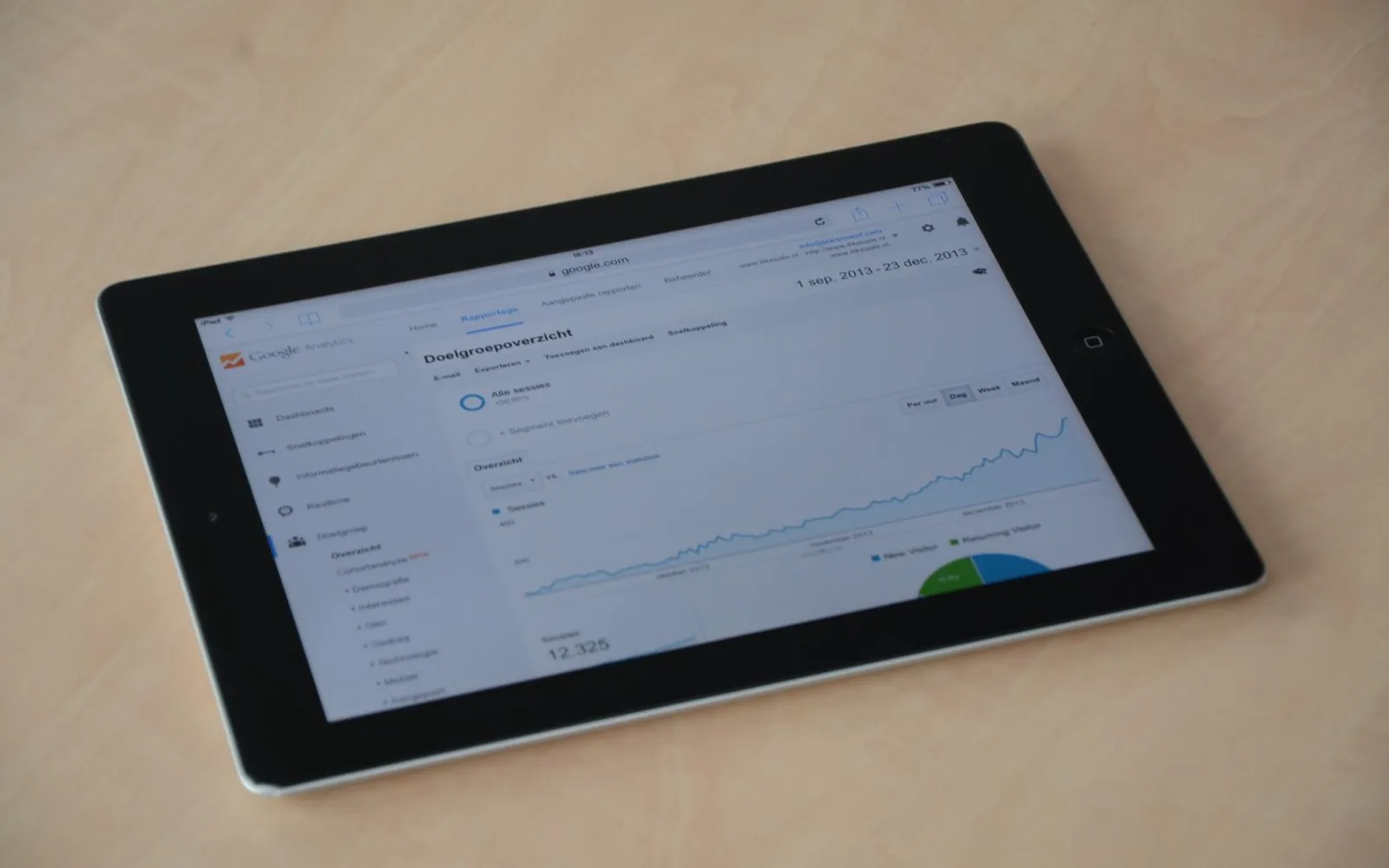
Web analytics tells you where your website visitors come from, what they do and which of them become customers. Most small businesses install an analytics tool and never look at it again, because the reports feel overwhelming. This guide strips web analytics back to the few numbers that matter, shows how to set them up in Google Analytics 4 and explains how to turn them into decisions.
What is web analytics?
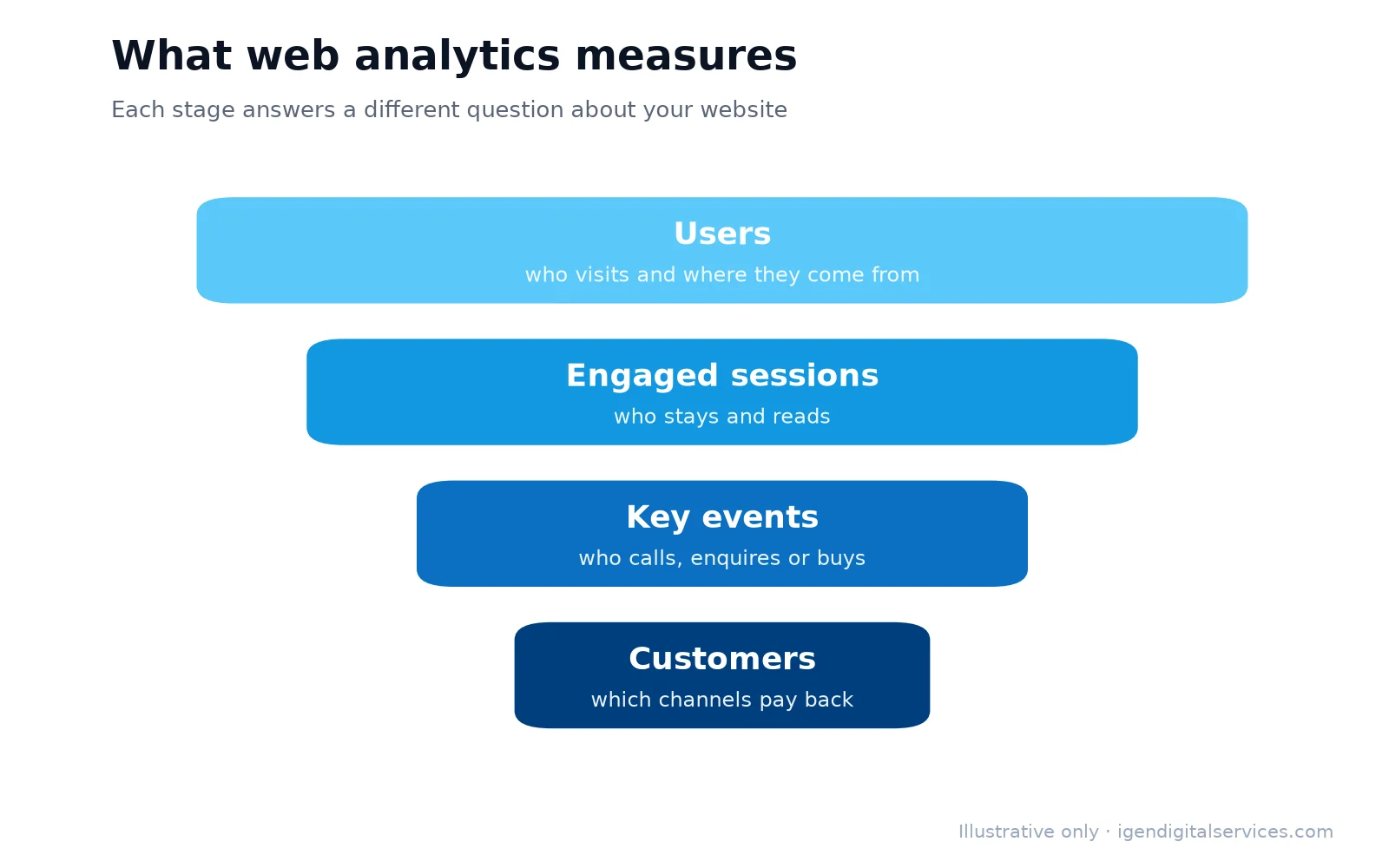
Web analytics is the practice of collecting and studying data about how people find and use a website. It answers three practical questions:
- Where do visitors come from? Search, ads, social media, email or direct visits.
- What do they do? Which pages they read, how long they stay and where they leave.
- What do they achieve? Calls, enquiries, sign-ups and purchases.
The free tools most businesses need are Google Analytics 4 (GA4) for behaviour on the website and Google Search Console for how the website appears in Google search.
The numbers worth watching
You do not need dozens of reports. These measures cover most decisions a small business has to make:
| Metric | What it tells you | Where to find it |
|---|---|---|
| Users | How many people visited | GA4 → Reports → Acquisition |
| Traffic source | Which channels bring visitors | GA4 → Traffic acquisition |
| Engagement rate | The share of visits where people stayed or interacted | GA4 → Engagement |
| Key events | Actions that matter: calls, forms, purchases | GA4 → Key events |
| Landing pages | The pages people arrive on | GA4 → Landing page report |
| Search queries | What people typed into Google | Search Console → Performance |
If you watch only one number, make it key events by traffic source: it shows which channels actually bring enquiries.
Setting up Google Analytics 4 properly
Most analytics problems come from an incomplete set-up. Work through these steps once:
- Install the GA4 tag on every page, usually through your website platform or Google Tag Manager.
- Mark your key events — form submissions, phone clicks, WhatsApp clicks and purchases — so GA4 counts them.
- Link Google Search Console to see search data alongside behaviour.
- Link Google Ads, if you advertise, so campaigns and conversions are connected.
- Exclude your own visits by filtering internal traffic.
- Test everything by submitting a form and checking that the event appears in real time.
Google’s own GA4 set-up guidance walks through each step.
Tracking the enquiries that matter
A visit is only valuable if it leads somewhere. For most Indian small businesses, the actions worth tracking are:
- Phone clicks on mobile, where most calls start.
- WhatsApp clicks, often the most popular way to enquire.
- Form submissions, tracked on the thank-you page or as an event.
- Purchases and add-to-cart actions for online stores.
- Direction requests and map clicks for shops and clinics.
Once these are set up as key events, every report can be read in terms of results instead of visits.
Using UTM tags to see what works
When you share a link in an email, an advertisement or a social post, add UTM tags so analytics can tell exactly where each visitor came from. A tagged link records the source, the medium and the campaign name. Without tags, visits from WhatsApp messages, emails and many apps are lumped together as “direct”, and you cannot tell which campaign worked. Our free SEO tools page includes a UTM link builder that creates tagged links in seconds.
A 20-minute monthly review
Analytics is only useful if someone looks at it. A short monthly routine is enough:
- Compare this month with last month for users, key events and engagement rate.
- Check traffic sources: which channels grew, and which brought enquiries?
- Review the top landing pages: are the right pages attracting visitors?
- Look for pages with many visits but few enquiries: these are your best opportunities.
- Open Search Console: which searches are rising, and which pages get impressions but few clicks?
- Write down one change to make before the next review.
One improvement a month, based on real data, compounds quickly.
Turning data into decisions
Numbers matter only when they change what you do. Some common patterns and what to do about them:
| What you see | What it usually means | What to do |
|---|---|---|
| Plenty of visits, few enquiries | The page is unclear or hard to act on | Add a clear call to action, phone and WhatsApp buttons |
| High traffic from one channel only | The business depends on a single source | Build a second channel, such as SEO or email |
| Many impressions, few clicks in search | Titles and descriptions are not appealing | Rewrite them to match what people search for |
| Visitors leave quickly on mobile | Slow or awkward mobile pages | Improve speed and layout |
| Ads bring clicks but no key events | Wrong keywords or a weak landing page | Review search terms and the page the ad leads to |
Common web analytics mistakes
- Tracking visits but not enquiries, so nothing can be judged.
- Counting your own team’s visits as customer traffic.
- Looking at data daily and reacting to normal ups and downs.
- Reporting impressions and followers instead of leads and sales.
- Setting up analytics once and never checking that it still works after a website change.
Privacy and consent
Analytics should respect your visitors. Collect only what you need, do not send personal information such as names or phone numbers into analytics, explain your tracking in a privacy policy and use a consent banner where the law requires one. India’s Digital Personal Data Protection Act makes clear consent and careful handling of personal data more important than ever.

When to get help
Setting up web analytics correctly is a one-time job that pays back every month. If your reports do not show enquiries by channel, or the numbers do not match what your sales team sees, the set-up probably needs attention. Our SEO services include analytics and conversion tracking as standard, and we are happy to review your set-up during a free consultation.
Four reports worth bookmarking
GA4 has many reports, but four answer most everyday questions:
- Traffic acquisition — which channels bring visitors and key events.
- Landing page — which pages people arrive on, and how well each converts.
- Pages and screens — which content is read most.
- Real-time — a live view, useful for checking that tracking works after a change.
Save these to your browser bookmarks, so the monthly review takes minutes rather than an afternoon of searching through menus.
Search Console: the other half of web analytics
Google Analytics starts counting when someone lands on your website. Google Search Console shows what happened before that: which searches your pages appeared for, how often people clicked and the average position. It also reports indexing problems, mobile usability issues and manual actions. Used together, the two tools cover the whole journey from search to enquiry.
Three Search Console checks are worth doing every month:
- Queries with many impressions and few clicks — improve those titles and descriptions.
- Pages that lost clicks compared with the previous period — update or fix them.
- The page indexing report — make sure important pages are not excluded.
Web analytics for online stores
Stores need a few extra measures: add-to-cart rate, checkout starts, purchases and revenue by channel. With ecommerce tracking set up, you can see which products are viewed but not bought, where shoppers abandon the checkout and which campaigns bring profitable orders rather than just visits.
Key takeaways
- Web analytics shows where visitors come from, what they do and which become customers.
- Track key events — calls, WhatsApp clicks, forms and purchases — not just visits.
- Tag campaign links with UTM parameters so every source is visible.
- Review the numbers monthly and make one improvement each time.
Frequently asked questions
What is web analytics in simple terms?
Is Google Analytics free?
What is a key event in GA4?
How often should I check my web analytics?
Why does analytics show so much direct traffic?
Do I need both Google Analytics and Search Console?
Want expert help with this?
See what our SEO services include, or get a free proposal for your business.

Digital Marketing Consultant and Certified Marketing Analyst from IIT Roorkee, with 10+ years of experience helping businesses improve their digital presence, generate qualified leads and drive measurable growth through SEO, AEO, GEO, Google Ads, performance marketing and analytics.